



What Is Token Approval and Why Can a Website Get Permission to Spend Your USDT
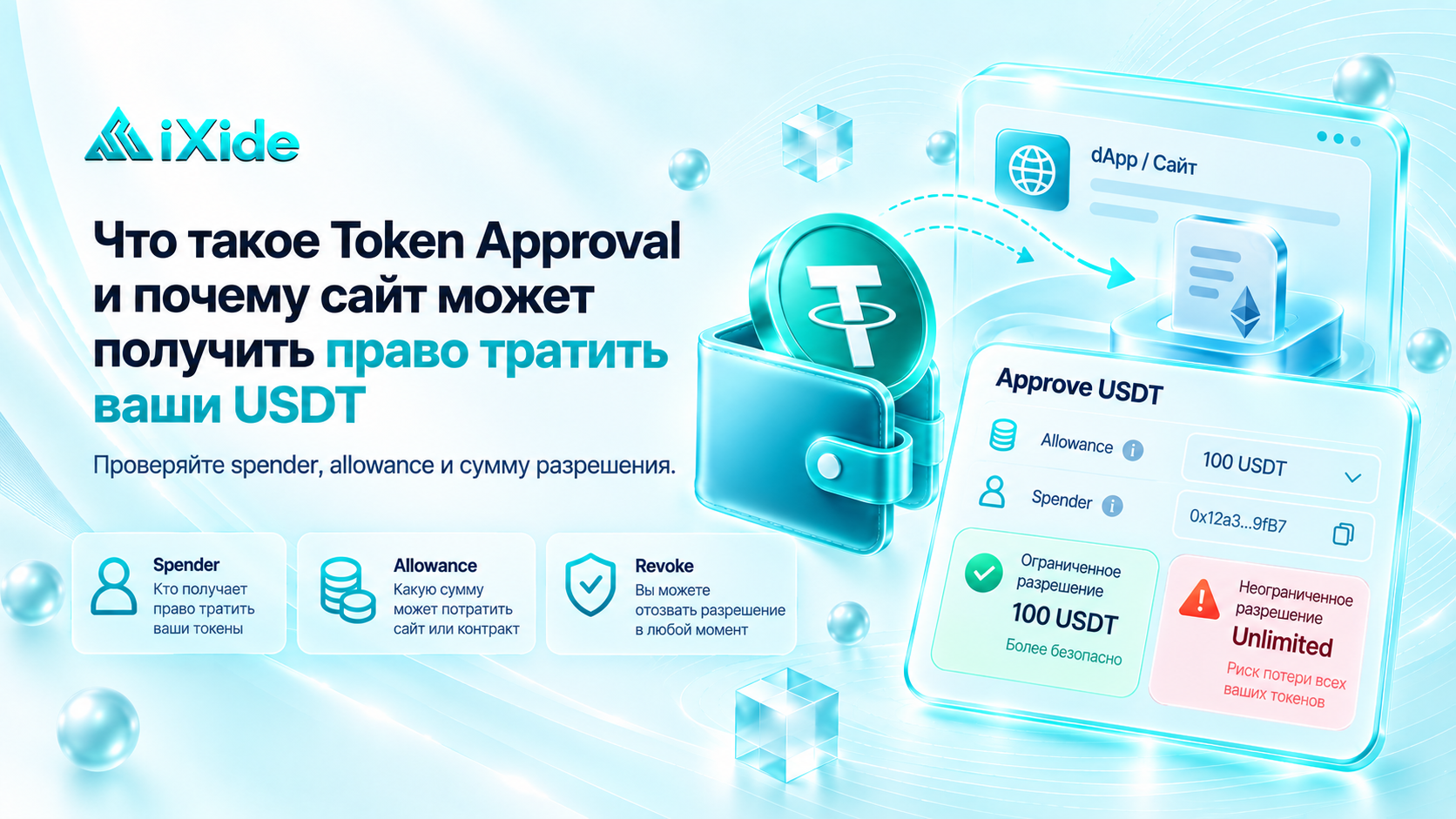
A user connects a crypto wallet to a website, wants to swap USDT, and sees a button:
Approve USDT
At first glance, this may look like a normal transaction confirmation.
But technically, Token Approval is permission that allows another address or smart contract to use a certain amount of your tokens.
That is why it is important to understand what you are approving: a careless Approval can give a third-party contract permission to spend tokens from your address.
Let’s break it down in simple terms.
What Is Token Approval?
Token Approval is a mechanism used by tokens on smart-contract networks.
For example, it is common with ERC-20 tokens on Ethereum and other EVM-compatible networks.
Imagine your wallet contains:
1,000 USDT
You want to swap 100 USDT through a decentralized service.
The service’s smart contract cannot simply take 100 USDT from your wallet.
First, you must give it permission to do so.
This creates an operation such as:
Approve → allow the contract to use up to 100 USDT
After that, the contract receives what is called an allowance.
What Is Allowance?
Allowance is the maximum amount of tokens that a specific address or contract is allowed to spend on behalf of the owner.
For example:
Balance: 1,000 USDT
Allowance for the contract: 100 USDT
The contract can use up to 100 USDT.
The remaining 900 USDT are not covered by that permission.
It is important to understand:
Approval does not mean the tokens are transferred immediately.
It only grants permission for future use.
Why Is Approval Needed?
Imagine using a DEX — a decentralized exchange.
You want to swap:
100 USDT → ETH
The smart contract first needs permission to take 100 USDT from your address.
So the process often looks like this:
1. Connect wallet
2. Click Approve USDT
3. Confirm the Approval in your wallet
4. Perform the actual swap
Approval and Swap are two separate operations.
What Happens After Approval?
After confirmation, the permission is recorded in the token contract’s state.
In simplified form:
Owner: 0xUSER...
Spender: 0xCONTRACT...
Allowance: 100 USDT
The specified spender may then use a standard mechanism such as transferFrom to move the permitted amount of tokens according to the contract’s logic.
Who Is the Spender?
A spender is the address that receives permission to use your tokens.
It may be:
a DEX;
a bridge;
a DeFi protocol;
a payment smart contract;
another service.
The spender address is especially important to verify.
A user may think they are granting access to a well-known service, while a malicious website may ask them to approve a completely different address.
Can a Website Take Your USDT Just by Connecting Your Wallet?
Simply connecting a wallet usually does not give a website permission to spend your tokens.
After connecting, a website may be able to see:
your public address;
selected network;
public balance;
other blockchain data.
But the right to use tokens appears only after the relevant approval or another authorizing signature or transaction.
So:
Connect Wallet ≠ Approval
and
Approval ≠ simply viewing your balance.
Why Is Unlimited Approval Riskier?
Some apps request permission not for a specific amount, but for a very large allowance.
Instead of:
Allow 100 USDT
the approval may effectively be:
Unlimited USDT
Why do services do this?
So the user does not have to pay another network fee every time they want to use the same token again.
This is convenient.
But it also creates additional risk.
If the contract turns out to be malicious or becomes compromised, a large active allowance can increase the amount of funds that may potentially be spent.
A Simple Example
Your wallet contains:
5,000 USDT
You give an unknown contract:
Unlimited Approval
Today, you use the service to swap only 50 USDT.
A week later, another 3,000 USDT arrives at the same address.
The old Approval may still remain active.
In other words, the permission does not necessarily disappear after one transaction.
That is why old allowances should be monitored.
Approval Does Not Reveal Your Private Key
This is an important distinction.
When you grant Approval, you do not reveal your seed phrase or private key.
Instead, you personally sign a blockchain transaction that grants specific rights to another address.
That means funds can be put at risk even if the seed phrase was never stolen.
Sometimes an attacker only needs to convince the user to approve a dangerous permission themselves.
How Scammers Use This
A typical scam may look like this:
The user sees a website offering:
“Claim a free airdrop”
or
“Verify your wallet”
They connect their wallet.
The site asks them to click:
Approve
The user confirms without checking the details.
As a result, permission is granted to an attacker’s address or malicious contract.
The tokens may then be spent within the approved allowance.
Why You Should Read the Wallet Confirmation Window Carefully
Before confirmation, the wallet usually shows information about the operation.
Pay attention to:
which token is involved;
how much is being approved;
which spender receives access;
which network is selected;
whether you actually expected an Approval request.
If you are simply visiting a website and it unexpectedly asks for permission to use all of your USDT, do not confirm until you understand why it is required.
Approval vs. a Normal Transfer
A normal transfer:
Your wallet → sends 100 USDT → recipient
Approval:
Your wallet → allows a contract to use up to 100 USDT
With Approval, the tokens may still remain on your address.
What changes is the right of another address to interact with them within the approved limit.
Why Can Approval Remain After a Swap?
Suppose you allow a contract to use:
1,000 USDT
and then swap only:
200 USDT
Depending on the token and contract mechanics, the remaining allowance may still exist.
Over time, a wallet may accumulate many old permissions from different DeFi services.
Can You Remove an Approval?
Yes.
An allowance can be changed.
Usually, a user can:
reduce the approved amount;
set the allowance to
0;issue a new approval.
Setting the allowance to zero is commonly called revoke approval.
This does not recover tokens that have already been spent, but it prevents further use through that specific permission.
Where Can You Check Old Permissions?
Some wallets have a built-in approvals section.
There are also blockchain explorers and specialized tools that allow users to check:
which contracts have permission;
which tokens are affected;
what the allowance amount is;
whether the permission is still active.
When using such tools, it is best to rely on trusted services and carefully review anything you are asked to sign.
Should You Revoke Every Approval?
Not necessarily.
Some approvals are still needed for services you use regularly.
But it makes sense to periodically review:
unknown contracts;
services you no longer use;
Unlimited Approvals;
permissions involving large amounts.
The fewer unnecessary active permissions you have, the smaller the potential attack surface.
What Is Permit?
Some tokens support mechanisms that allow permission to be granted through a cryptographic signature instead of a separate standard approve transaction.
There are also systems such as Permit2, which some applications use to manage token permissions.
For the user, the principle is similar:
a signature may grant permission to use tokens.
That is why it is a mistake to assume that anything that does not look like a normal transfer is automatically safe.
Why Does the Sign Button Also Require Attention?
Not every signature is dangerous.
Many websites use signatures simply for authentication:
“Prove that you own this address.”
But some signatures may be connected to permissions or later transactions.
So it is not safe to think:
“It only says Sign, so my funds definitely cannot be affected.”
You should always understand what the request is asking you to authorize.
What Should You Do If You Accidentally Gave a Suspicious Approval?
If you notice an unknown permission, act quickly.
A reasonable sequence is:
Stop interacting with the suspicious website.
Check active allowances.
Revoke the suspicious permission.
Review your transaction history.
Make sure the tokens are still on your address.
If you believe your private key or seed phrase has been compromised, revoking an approval alone is not enough — that is a separate and more serious situation.
What Does This Mean for IXIDE Users?
When making a normal exchange through IXIDE, you should not approve unknown Token Approvals or connect your wallet to third-party websites simply because someone claims to be support.
If, during a third-party operation, your wallet asks you to:
Approve USDT
check:
which service requested the permission;
which contract receives it;
what amount is being approved;
which network is selected.
To check a TXID, verify an order status, or receive information about a transfer, you do not need to give anyone permission to spend your tokens.
IXIDE Recommends
Before every Approval, ask yourself three questions:
Which contract am I giving access to?
Which token does it apply to?
What amount am I approving?
If you cannot answer even one of these questions, do not confirm the operation until you understand exactly what is being requested.
Key Takeaway
Token Approval is not a token transfer. It is permission for another address or contract to use your tokens.
Remember:
Connect Wallet — connects your wallet.
Approve — grants permission.
Allowance — defines the size of that permission.
Revoke — removes it.
And the main rule for beginners:
Do not approve Token Approval requests automatically. Always check the token, spender, and approved amount first.